
Calendar
Your calendars from Google, Microsoft 365 and iCloud next to your mail: view them, create events, answer invitations.
Last updated: 11 October 2026
Connecting calendars
warfta shows the calendars of the accounts you have set up: directly for Google and Microsoft, via CalDAV for iCloud, Fastmail, mailbox.org and Posteo. The calendar is turned on per account — when setting it up with or later in the settings under in the section. Google and Microsoft ask once more whether warfta may access your calendar.
Day, week and month
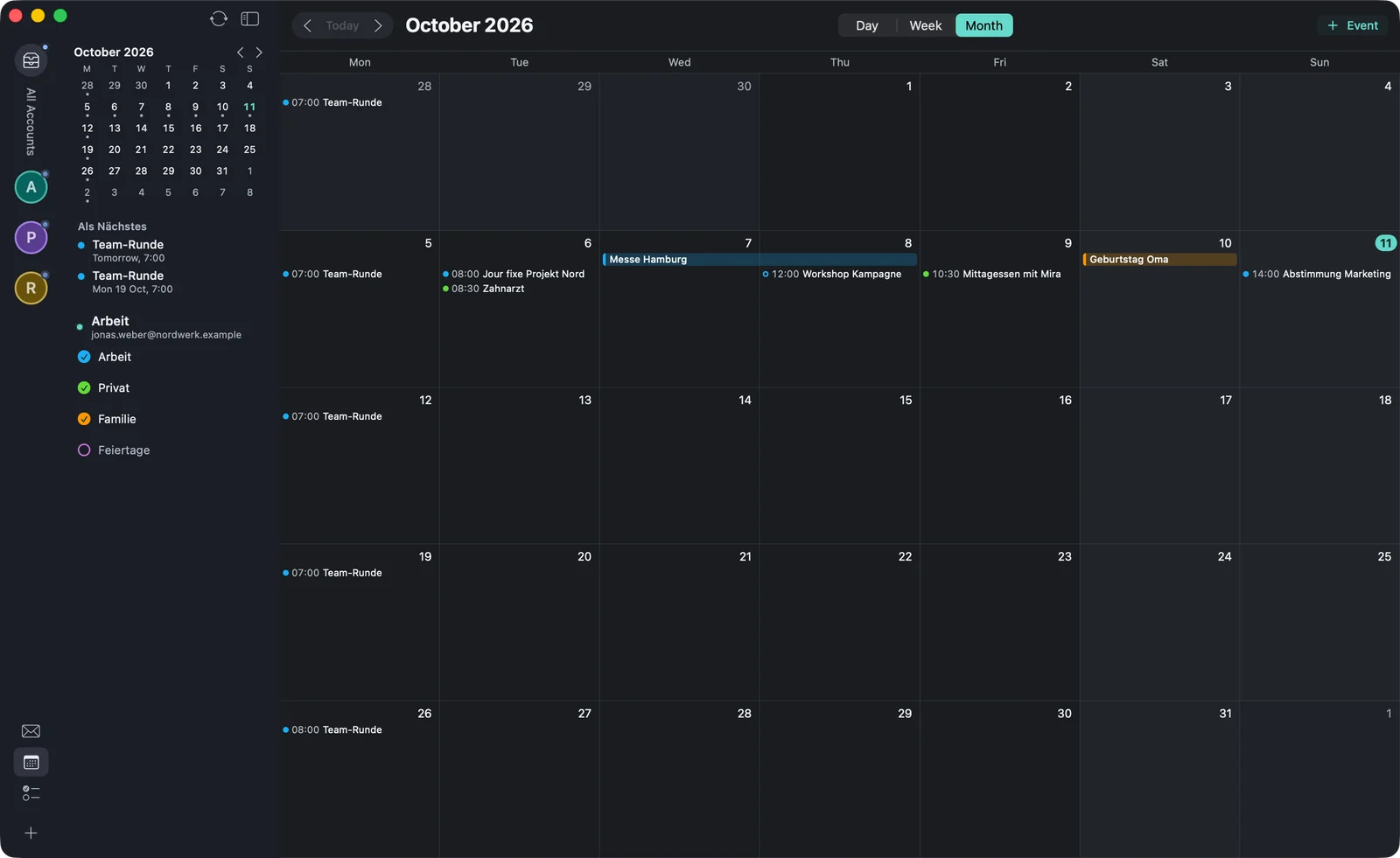
⌘2 switches to the calendar. At the top you switch between , and , with the keyboard via ⌃⌘1, ⌃⌘2 and ⌃⌘3. ⌘← and ⌘→ page through, ⌘T jumps to today, ⇧⌘T opens . The week number is shown next to the month.
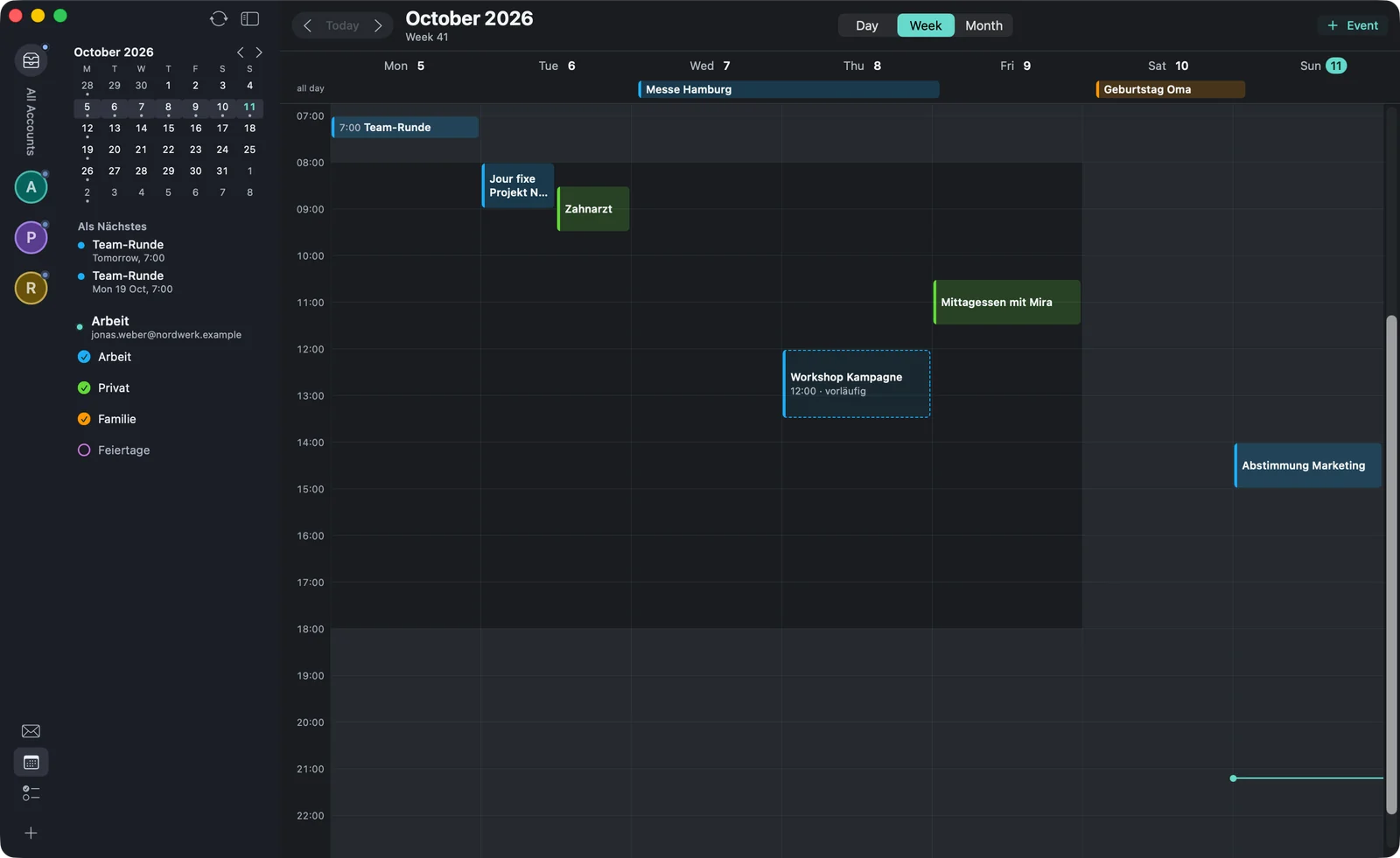
The sidebar holds a small month calendar, your next events under (“Up next”) and all calendars of your accounts. Clicking the checkmark hides or shows a calendar.
Viewing events
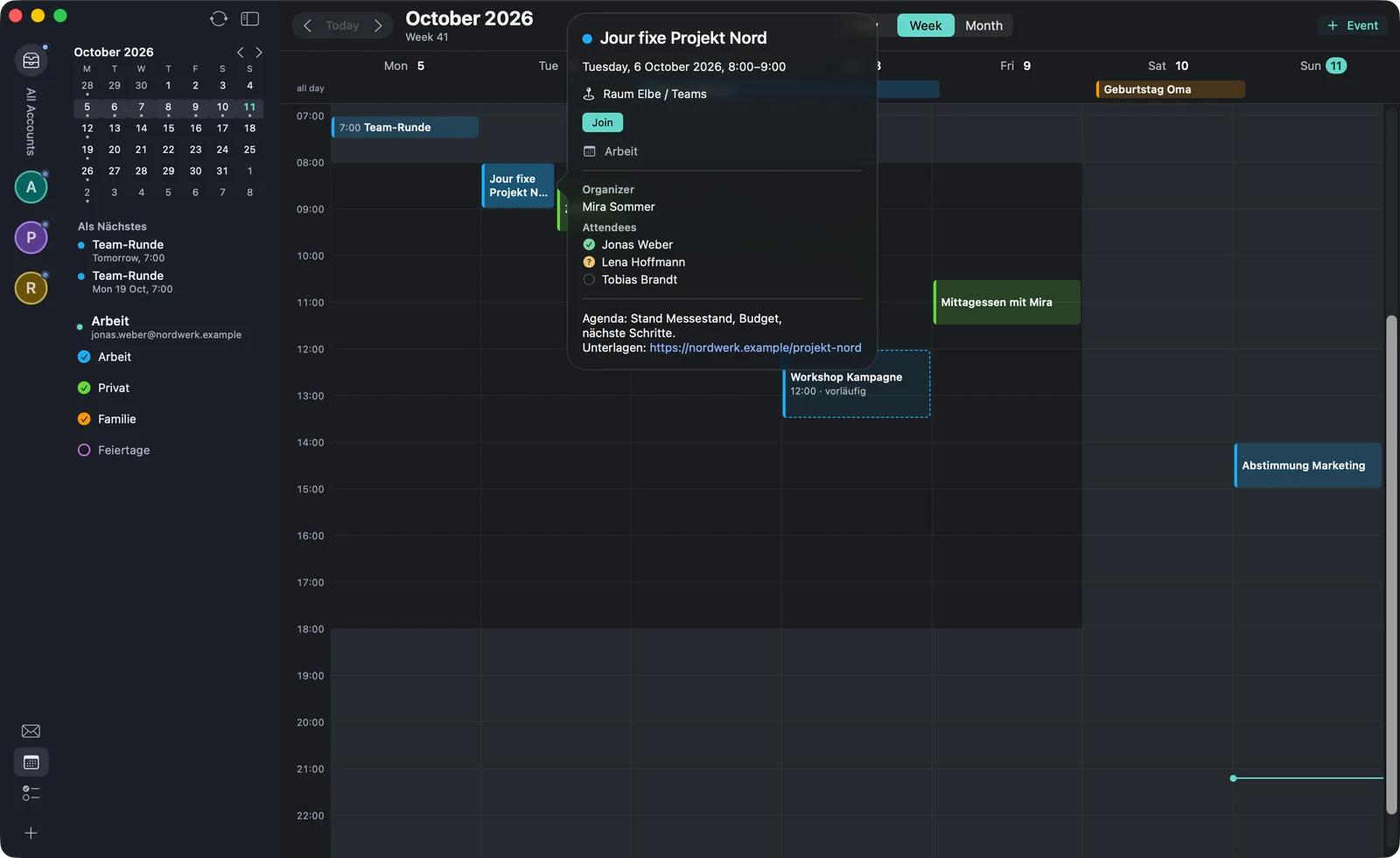
Clicking an event shows the details: time, location, calendar, organiser, attendees with their response, and the note. If the event has an online meeting, you open it there with . Mails linked to the event are listed there too.
Creating an event
In the calendar, ⌘N or the button creates a new event. In the form you enter:
- title, , date and time,
- the calendar the event should go into,
- location and note, and whether you show as free or busy during that time,
- a repeat: , , , , or — never ending, after a number of times or on a date,
- attendees via (“Invite people”), for Microsoft with (“Add Teams meeting”), for Google with (“Add Google Meet”).
creates the event; with attendees the button is called and sends the invitations. If you change an event in a series, warfta asks whether it’s about , or . If you delete an event with attendees, warfta cancels it for them.
Answering invitations
When you get an invitation by mail, a card with time, location, repeat and organiser appears above the text. With , or you answer directly; under you can add a comment or answer without notifying the organiser. If the event overlaps with another, the card tells you. With you save the invitation as a file.
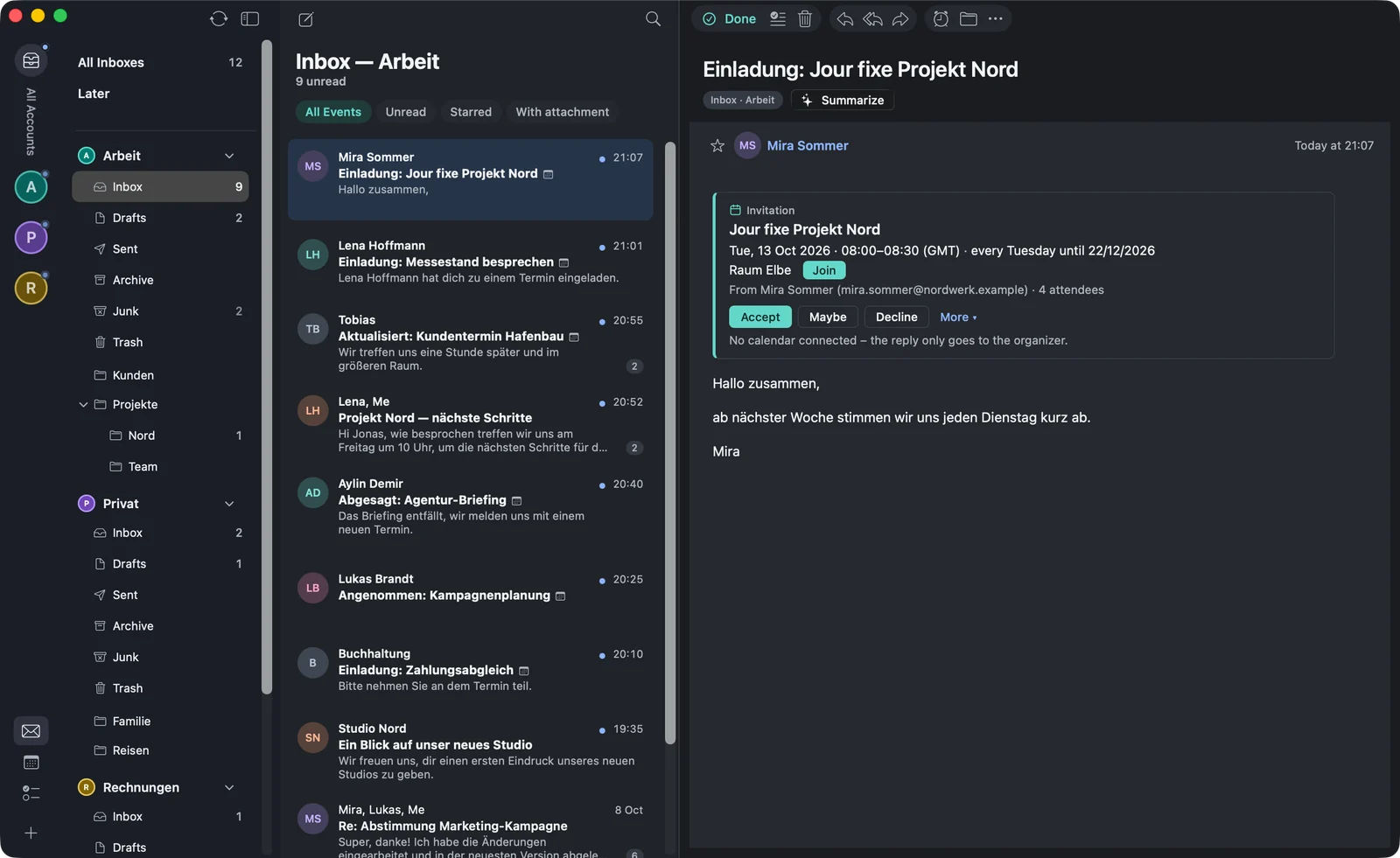
The shortcuts for this in the menu: ⌃⌥⌘A accept, ⌃⌥⌘T maybe, ⌃⌥⌘D decline.
Event from a mail
(⌥⌘E) opens the event form with the subject as title and the first date warfta finds in the text. The mail stays linked to the event; you’ll find it again in its details. To connect a mail with an event that already exists, use (⌥⌘L).
Reminders
warfta reminds you with a notification before events that have a time — 15 minutes before by default. Under you choose , 5, 10, 15 or 30 minutes or one hour. All-day events don’t remind you. Reminders already scheduled arrive even when warfta isn’t running.