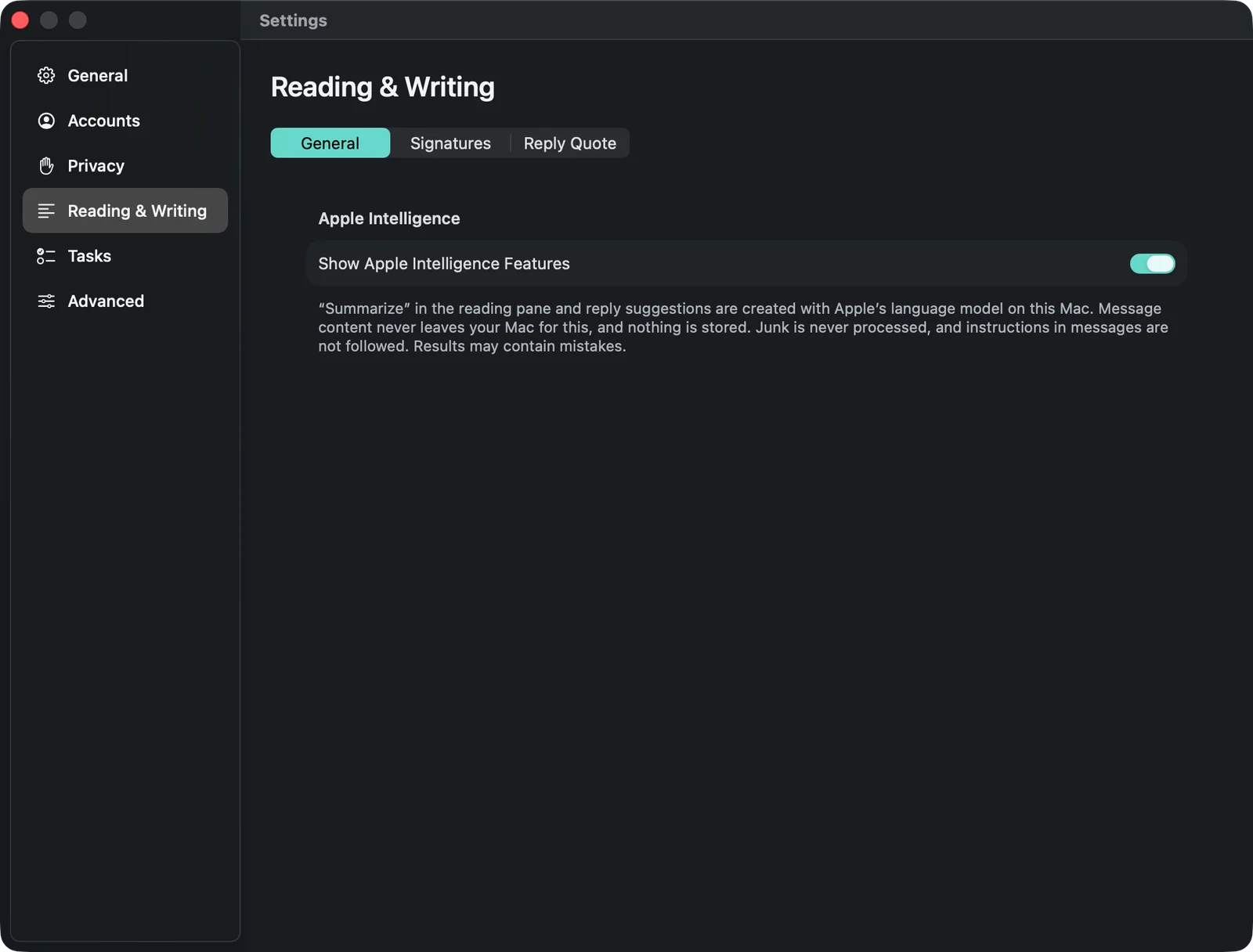
Apple Intelligence
Summarise long mails and conversations and get suggested replies — with the language model on your Mac.
Last updated: 11 October 2026
What you need
These features use Apple’s language model on your Mac. They appear if your Mac supports Apple Intelligence and it is turned on in System Settings. The texts are created on the device: mail content never leaves your Mac for this, and none of it is stored.
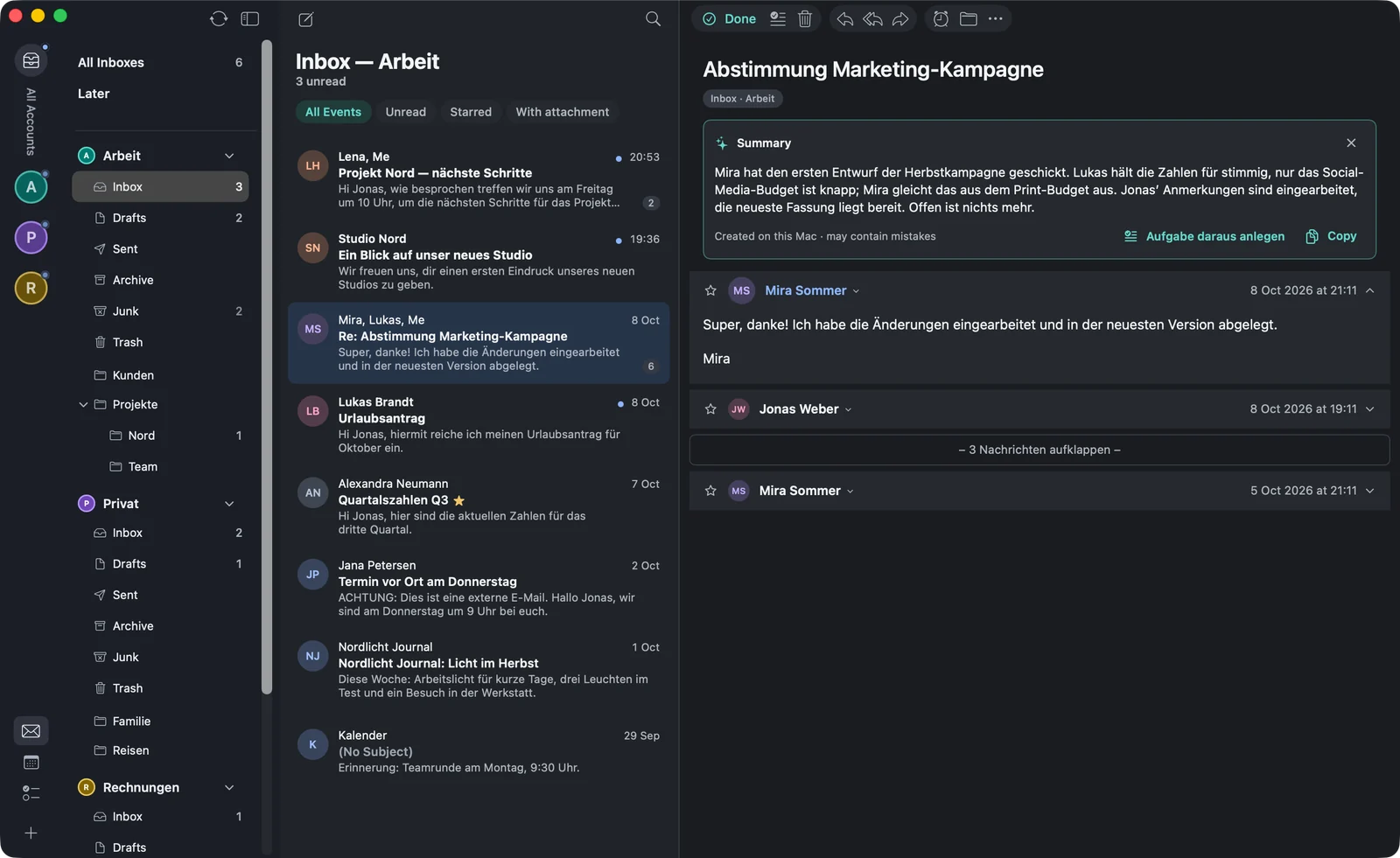
Summarising
Above every mail there’s , in the menu with ⌃⌘I. For a conversation, warfta summarises the whole conversation. From the summary you can create a task right away with (“Create task from it”) or copy the text.
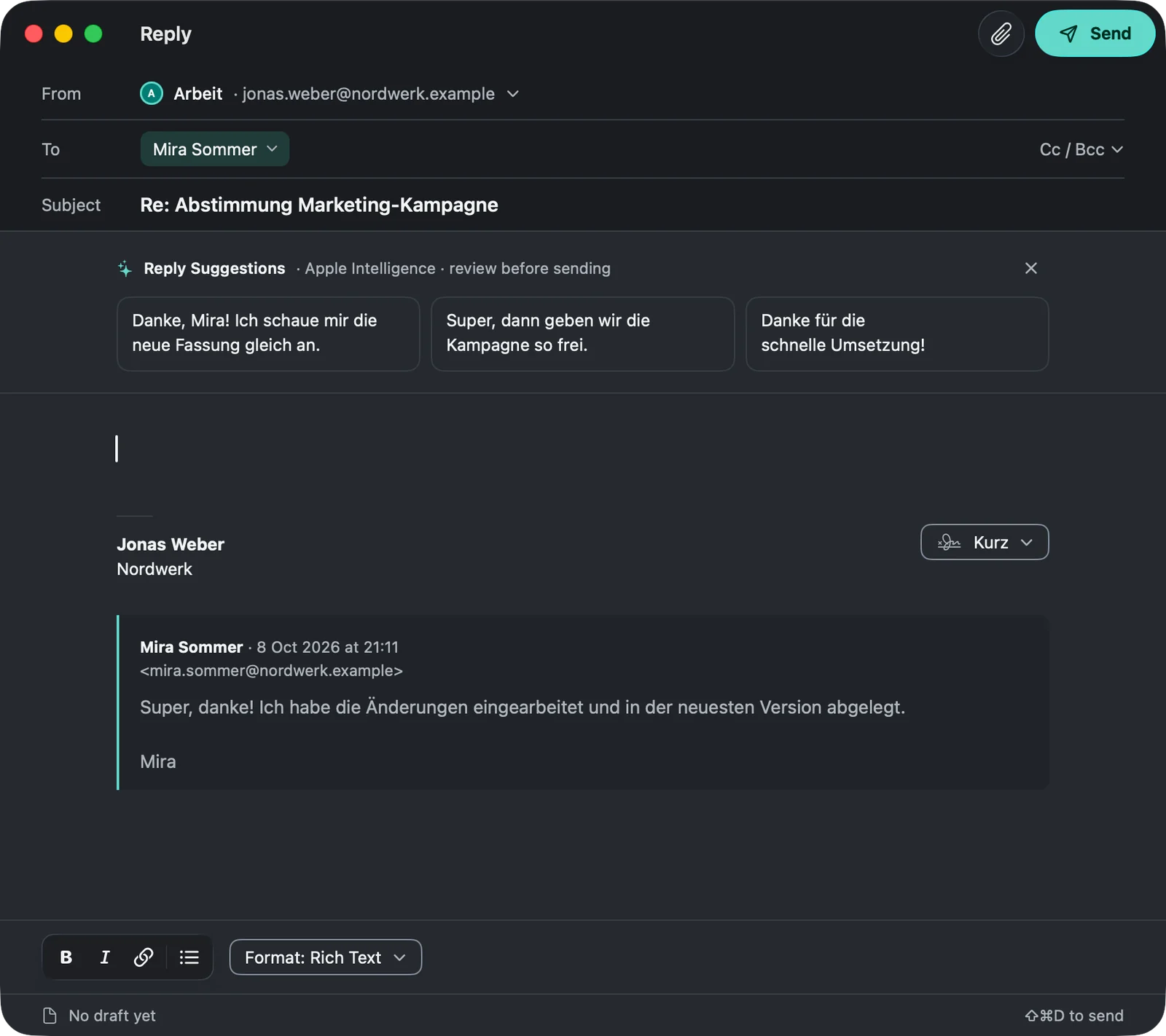
Reply suggestions
When you reply to a mail, warfta suggests three short answers above the text. A click puts the suggestion into the compose window, where you adjust it before sending. The cross hides the suggestions.
Turning it on and off
In the settings under , hides both features.